
Sims 4 Furniture CC
Sims 4 furniture CC gives Build/Buy the beds, sofas, tables and kitchens the base game is missing. Browse by room or style; every set links to its creator's own page.
 Perla Shower, Bath & Toilet Set
by PlatinumLuxeSims
Perla Shower, Bath & Toilet Set
by PlatinumLuxeSims
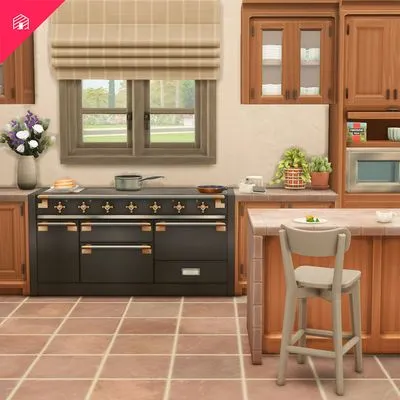 Del Sol Kitchen Appliances
by HeyHarrie
Del Sol Kitchen Appliances
by HeyHarrie
 Flavie Bar set Part 1
by Syboubou
Flavie Bar set Part 1
by Syboubou
Showing 1–3 of 3
Furniture is sorted by room: bedroom, living room, dining room, kitchen, bathroom, kids' rooms, study and outdoor. Decor, lighting and clutter sit under Objects.
On each listing, check whether a piece is functional (Sims can use it) or decorative only, and whether it needs a pack. Kitchen counters and cabinets often come as a set with several downloads.
Many creators make matching wood tones and fabrics across a whole set, so sticking with one creator per room is the easiest way to a polished look. For a themed room in one go, our Collections group furniture and decor on a single page.
Frequently asked questions
Can Sims use CC furniture?
Yes, when it's functional: a CC bed, chair or fridge works like an EA one. Some pieces are decorative only, and the listing says so when the creator does.
Why can't I find my CC furniture in Build/Buy?
Check that custom content is enabled in Game Options > Other, then type the item or set name into the Build/Buy search. CC sometimes sits in an unexpected category.
How do I place furniture freely?
Hold Alt while moving an item to place it off the grid, and use the bb.moveobjects cheat to let items overlap.